
Microsoft has released a rebuilt version of Copilot, the artificial intelligence assistant in Microsoft 365, structured around three modes called Code, Chat and Autopilot. The main addition is Code, which lets staff without programming skills build simple applications from prompts, for example a dashboard that tracks store sales. The redesign shifts Copilot from document assistance toward creation of software and agents, which matters for businesses that already run on Microsoft applications.
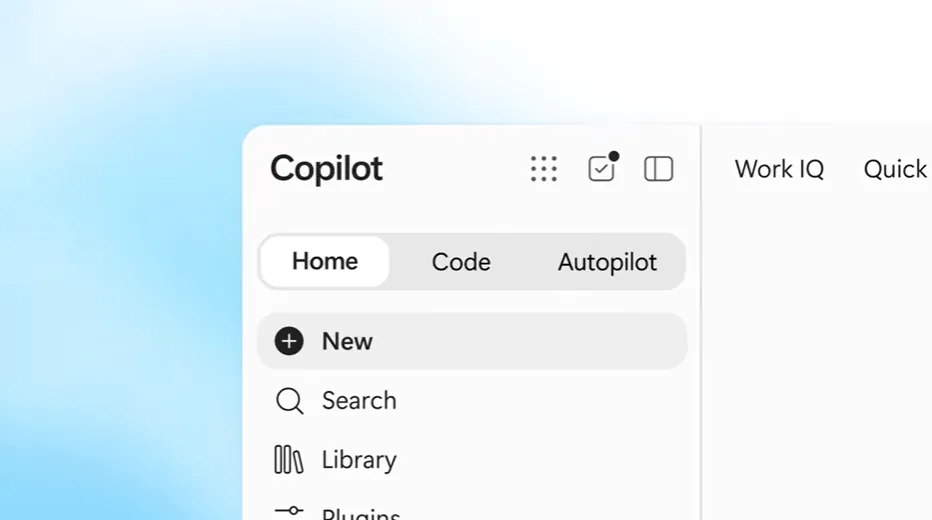
Code, Chat and Autopilot on one homepage
Code applications can work as desktop widgets or as cloud services that colleagues can share. Deployment is handled by Copilot Managed Runtime, which places generated programs in a cloud environment without manual configuration or maintenance. The runtime includes a software development kit and a command line tool so engineers can refine work started by business users, such as linking an app to an external service. According to David Blyth, vice president and general manager of managed apps and agents, teams can test a new version while the current one stays live, with identity and policy enforced through the host and monitoring covering inventory, usage and health.
Chat is positioned for nontechnical work and is reached through the same revamped homepage as Code. It is connected to Office and creates Word, Excel or PowerPoint files from a description of the required content, while existing documents can also be revised. The document under editing appears directly inside the Copilot interface, so a user can combine generated changes with manual edits. Autopilot, the third mode, creates AI agents without code for recurring tasks, responses to specific business events and multistep work that does not require highly detailed prompts.
Personalization relies on Microsoft IQ, which gathers business information from company applications to shape Copilot output. With this release Microsoft IQ can draw on Dynamics 365, where customer records are held, and Power Platform, a suite covering data visualization and task automation. Microsoft also outlined what comes next: a mode called Today that will surface the most important outstanding tasks and complete some of them automatically. A separate improvement will remove the need to switch manually between Chat and Code.
What the redesign means for Microsoft shops
For operating teams the effect is faster production of small tools without waiting in the development queue. A business analyst can prototype a tracking widget, publish it as a cloud service and let a developer harden it later through the kit and command line utilities. In a small firm that shortens the path from idea to shared utility, while in a large organization it creates a two-tier workflow where business staff build and IT reviews integration, access and upkeep.
The open questions concern control and fit rather than generation itself. Microsoft points to identity enforcement, policy controls and visibility into inventory, usage and application health, and buyers should check how those controls map to their own tenant rules and audit needs. The announcement does not by itself prove reliability of generated apps, quality of Office file creation or autonomy of agents in multistep processes. Before scaling use, companies need to test data access through Microsoft IQ, external integrations and behavior when business events trigger agents.
A practical marker will be the arrival of Today and the unified switching between Chat and Code. If those features ship and business users keep apps and agents running under central monitoring, the redesign will have moved beyond an interface refresh toward distributed development inside Microsoft 365. Adoption of Dynamics 365 and Power Platform as data sources will be a second signal to follow.